Remove objects
Mark, let it track, done: HIDE replaces the object with the original background.
Remove distracting people and objects from videos – the background is filled in automatically.
The video is provided by YouTube (youtube-nocookie.com). It starts automatically only with your consent – or now with a click. By clicking, you agree that data such as your IP address will be transmitted to YouTube (Google, including in the United States).
Mark, let it track, done: HIDE replaces the object with the original background.
Manual, automatic, and guided tracking.
Control masks and movements precisely.
Control tracking direction and speed by pedal – your hands stay free.
Any frame rate, resolutions up to 8K.
Check the result before export, upload directly to YouTube if desired.
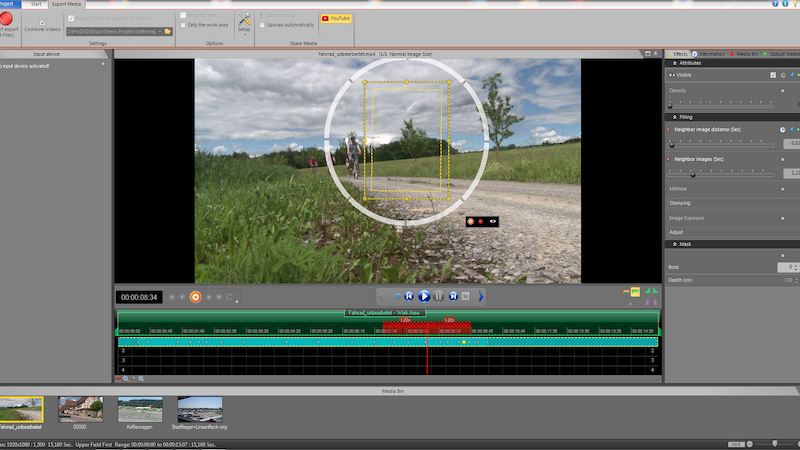
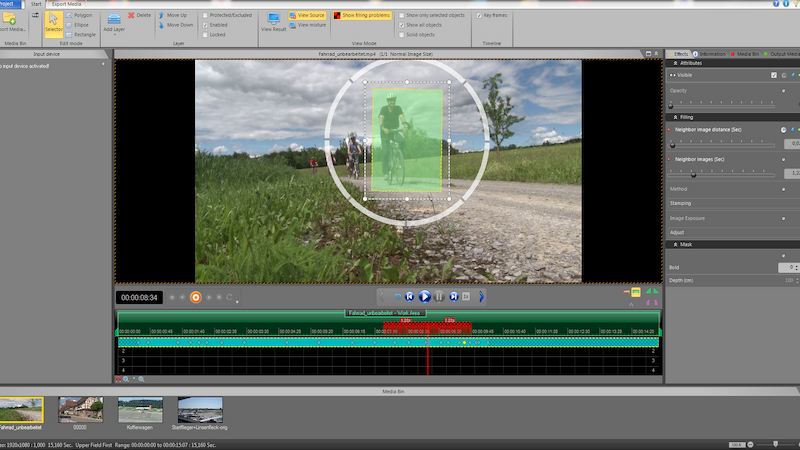
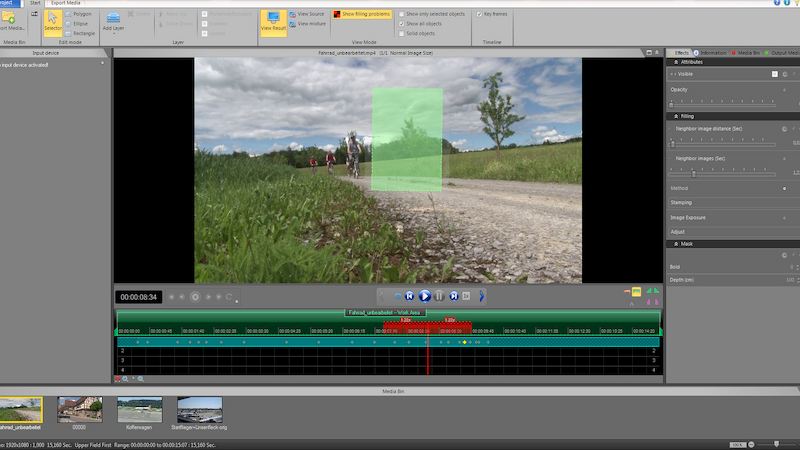
Videos load only after a click.
Stand-alone application for Windows.
HIDE V2 – user manual as PDF (German).
Yes. The trial version can be downloaded directly. The output of the trial version carries a watermark.
A few seconds of footage before and after the object – HIDE uses this to fill in the background.
Yes. In addition to the perpetual license, there is a 1-year license.
Yes. The upgrade to HIDE V2 costs €199.00 (list price).
One code is active on one PC at a time. To switch PCs, the code can be reset.
Perpetual license for Windows.
− %License for one year.
− %Who can upgrade? Owners of an older HIDE version.
− %Pay securely via FastSpring: card, PayPal, Google Pay.
Protect the privacy of others in your videos with super-fast and easy-to- …
AI video stabilization, CMOS correction and image optimization at a professional level
Perfect super slow motion and time-lapse in post-production. With ReSpeedr V2 you refine …
Download the trial version directly.
Try it out with your own footage.
Pay securely via FastSpring and enter the code.
The video is only now being loaded from YouTube (youtube-nocookie.com).