Contact
Newsletter
User-Login
Video Effects
Adorage
Adorage 13
Adorage 12
Adorage 11
Adorage 10
Adorage 9
Adorage 8
Adorage 7
Adorage 6
Adorage 5
Adorage 4
Adorage 3
Adorage 2
Adorage 1
All-in-One
Adorage Addons
Workshop
VitaScene V2
Video Titling
Heroglyph
Heroglyph V4
Heroglyph Addons
Creative Pack 1
Creative Pack 2
Creative Pack 3
Creative Pack 4
Creative Pack 5
Video Stabilizing
Mercalli V2
Compatibility
Adobe
Apple
Avid / Pinnacle
Corel
Grass Valley
MAGIX
Sony
Service Update
Heroglyph
Mercalli
Adorage
VitaScene
FAQs
Workshops
Heroglyph
Adorage
Feedback
Partner/Reseller
Imprint
Home
»
Demoversion
»
FAQs
»
VitaScene V1
Demoversion
Service Update
FAQs
Workshops
Feedback
general questions
VitaScene V1
The program crashes after cliking the "start" button on RAW export.
How can I modify the memory usage of my graphics board in order to get a max. performance? GPU requires 128 MB for optimal performance? Optimal work: 128MB non local video memory or more
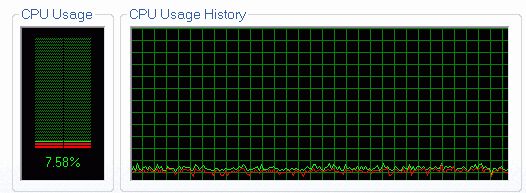
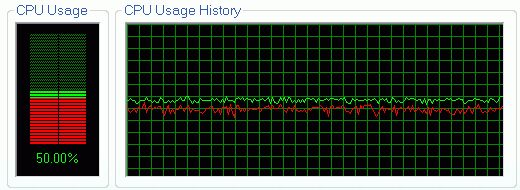
How fast is a system using GPU rendering?
Which Versions of VitaScene are available?
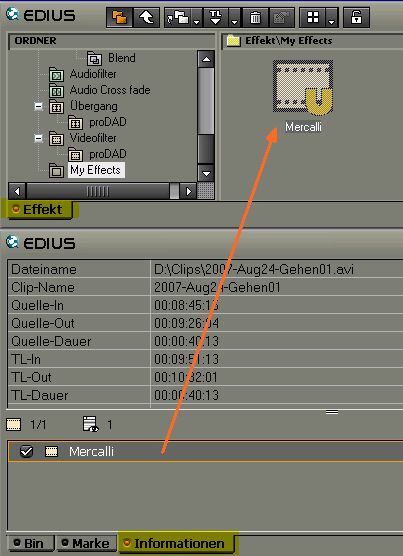
How can an effect setting of Adorage, Heroglyph, Vitascene or Mercalli being created in EDIUS directly? The target should be a specific proDAD effect based setting, ready to be used on one mouseclick within the EDIUS effects library.
If VitaScene is being used on a Titleclip in Edius, the effect doesn´t appear or it appears on the full screen only. But the desired effect is a VitaScene effect as transition between two titles or as rays or glimmer on a title.
Contact
|
Newsletter
|
Imprint
©2012 proDAD Inc. All rights reserved. Product features and specifications subject to change without notice. All trademarks are the properties of their respective owners.
Design Logo Type
CMS by SELLTEC